10 Best Minecraft Mods to Transform Your Gameplay in 2026
Discover the top 10 Minecraft mods that will completely transform your gameplay experience. From performance boosters to massive content expansions, these mods are must-haves for any Java Edition player.
ChunkPod Team · · 8 min read
The Minecraft modding community offers thousands of mods that add performance improvements, new dimensions, automation systems, and building blocks. This guide covers 10 popular Minecraft mods for Java Edition players in 2026.
All of these mods are available for Minecraft Java Edition. Most can be downloaded from CurseForge or Modrinth, though some are only on one of them and OptiFine is only distributed through its own website.
What is a Minecraft Mod?
A Minecraft mod (short for modification) is a third-party addition that fundamentally changes or extends Minecraft's core gameplay. Mods work by modifying the game's code itself, which means they can add entirely new features, mechanics, dimensions, mobs, blocks, and systems that wouldn't be possible otherwise.
Mods require a mod loader like Forge, Fabric, or NeoForge to work. These mod loaders act as frameworks that allow multiple mods to run together without conflicting. When you install a mod, you're essentially injecting new code into Minecraft's Java runtime.
What Can Mods Do?
- Add completely new gameplay mechanics (magic systems, technology, automation)
- Create new dimensions with unique terrain and creatures
- Introduce hundreds of new blocks, items, and crafting recipes
- Change how the game renders (shaders, performance improvements)
- Add new mobs, bosses, and NPCs with custom AI
- Transform world generation entirely
Mods vs Plugins: What's the Difference?
While both extend Minecraft's functionality, mods and plugins work in fundamentally different ways:
Mods (Client + Server)
- Modify the game's core code using mod loaders (Forge, NeoForge, Fabric)
- Work on single-player and multiplayer
- Content mods usually need to be installed on both the server and all players, but some mods are client-only (like Sodium) or server-only (like Lithium)
- Can add entirely new content: blocks, items, dimensions, mechanics
- Examples: Create, Twilight Forest, Applied Energistics
Plugins (Server-Only)
- Run on top of server software like Spigot, Paper, or Bukkit
- Only installed on the server - players don't need to download anything
- Limited to server-side features: commands, permissions, economy, protection
- Cannot add new blocks or items (only modify existing behavior)
- Examples: WorldGuard, EssentialsX, Vault
In short: Use mods when you want to transform gameplay with new content. Use plugins when you want to manage a server with administration tools, anti-grief protection, or custom commands.
1. OptiFine - The Performance Classic
Category: Performance & Graphics

OptiFine is a Minecraft optimization mod that has been around for over a decade. It improves frame rates and enables shader packs and HD textures.
Key Features
- Improves FPS on most hardware configurations
- Support for HD textures and resource packs
- Built-in shader support
- Dynamic lighting, fog control, and configurable render distance
- Connected textures for glass and other blocks
OptiFine is commonly used for running shader packs or improving performance on older hardware. Its releases often trail new Minecraft versions, and on current versions most players use Sodium with Iris Shaders instead.
Download: OptiFine Official Website
2. Sodium - The Modern Performance King
Category: Performance

Sodium is a free, open-source rendering optimization mod that replaces Minecraft's rendering engine. For server-side optimization, check our guide on fixing server lag.
Key Features
- Improved frame rates on low-end hardware
- Modern OpenGL rendering techniques
- Reduced micro-stutter
- Works on multiplayer servers (client-side only)
- Compatible with Fabric and NeoForge
Sodium pairs with Lithium (game logic optimization) and Iris Shaders (shader support).
Download: Modrinth | CurseForge
3. Just Enough Items (JEI) - The Recipe Bible
Category: Utility

JEI is a utility mod that displays all items in the game and shows how to craft them. It's useful when playing with multiple mods that add hundreds of new items.
Key Features
- Searchable list of all items in the game
- Press R on any item to see its recipes
- Press U to see what recipes use that item
- One-click recipe transfer to crafting grids
- Search by mod name using
@modname
JEI is widely used in modded playthroughs. It reduces the need for external wikis by showing recipes in-game.
Download: CurseForge | Modrinth
4. Create - Mechanical Engineering Masterpiece
Category: Technology & Automation

Create is a technology mod that adds mechanical systems to Minecraft. Unlike other tech mods with abstract energy systems, Create uses rotation, gears, and belts that are visible while working.
Key Features
- Windmills and water wheels for power generation
- Conveyor belts, mechanical presses, and crushers
- Functional trains and locomotives
- Contraptions that can move entire structures
- Aesthetics that fit Minecraft's style
Create uses visible mechanical systems where automated factories feature spinning gears and moving belts.
Download: CurseForge | Modrinth
5. The Twilight Forest - Adventure Awaits
Category: Dimension & Adventure
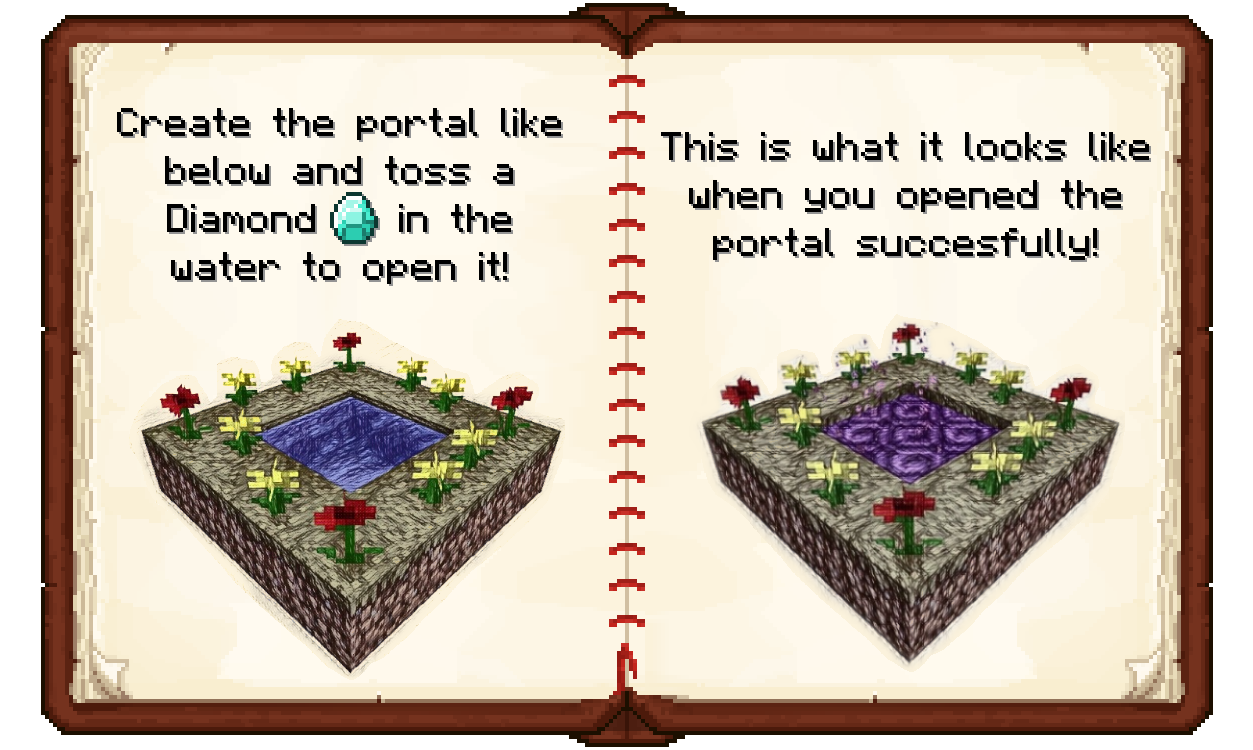
The Twilight Forest adds a new dimension filled with dense forests, unique dungeons, and boss fights.
Key Features
- New dimension with unique biomes
- Boss fights with progression mechanics
- Dungeon exploration
- New creatures including deer, fireflies, and hostile mobs
- Treasures and equipment
To access the Twilight Forest, create a 2x2 pool of water surrounded by flowers, then throw in a diamond. The portal that forms will transport you to a magical realm of perpetual twilight.
Download: CurseForge
6. Biomes O' Plenty - World Transformation
Category: World Generation

Biomes O' Plenty adds 50+ new biomes to Minecraft, expanding world variety with biomes like Mystic Grove and Marshlands.
Key Features
- 50+ unique biomes in Overworld, Nether, and End
- New trees, flowers, and building materials
- Seamless integration with vanilla biomes
- Compatible with other world generation mods
- New sub-biomes and terrain features
The mod adds new environments with unique vegetation and atmosphere to world exploration.
Download: CurseForge | Modrinth
7. Applied Energistics 2 - Digital Storage Revolution
Category: Storage & Automation
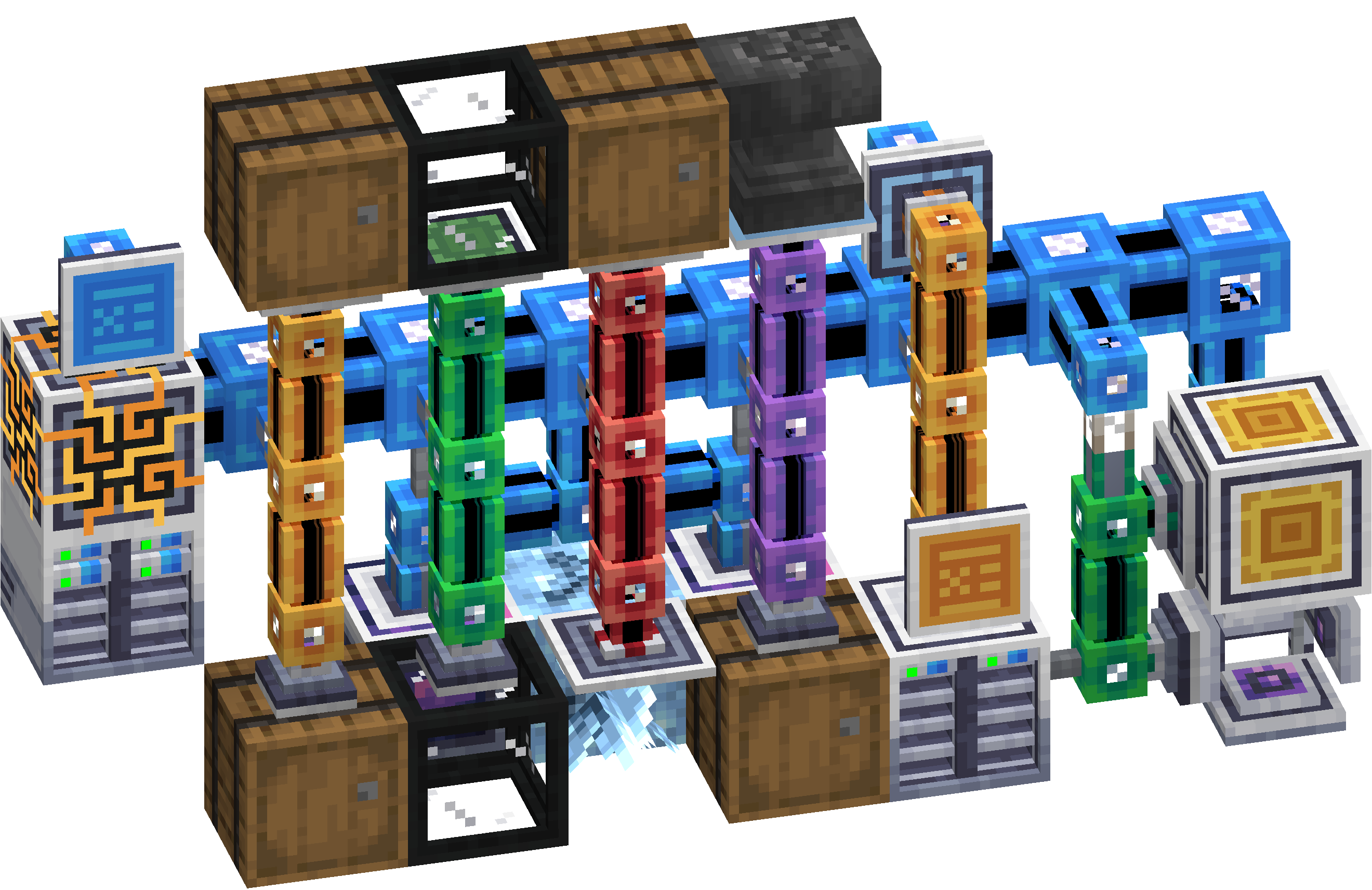
Applied Energistics 2 (AE2) adds a digital storage network system to Minecraft. Items are stored in compact drives and accessible from anywhere in your base.
Key Features
- ME System for digital storage
- Store large quantities of items in storage cells
- Searchable terminals for item access
- Automated crafting with pattern providers
- Spatial storage (store entire chunks digitally)
AE2 is complex but provides efficient inventory management once set up.
Download: CurseForge | Modrinth
8. Tinkers' Construct - Custom Tools & Weapons
Category: Tools & Combat
Tinkers' Construct changes tool crafting by allowing custom tools built from various materials, each with unique properties. Tools can be repaired and upgraded indefinitely. The latest release targets Minecraft 1.20.1 on Forge.
Key Features
- Build tools from interchangeable parts
- Each material has unique stats and abilities
- Smeltery for ore doubling and alloy creation
- Tools level up with use, gaining modifier slots
- Additional tools and weapons like the broad axe, cleaver, and scythe
The mod includes an in-game guidebook called "Materials and You" with crafting information.
Download: CurseForge
9. Botania - Natural Magic
Category: Magic
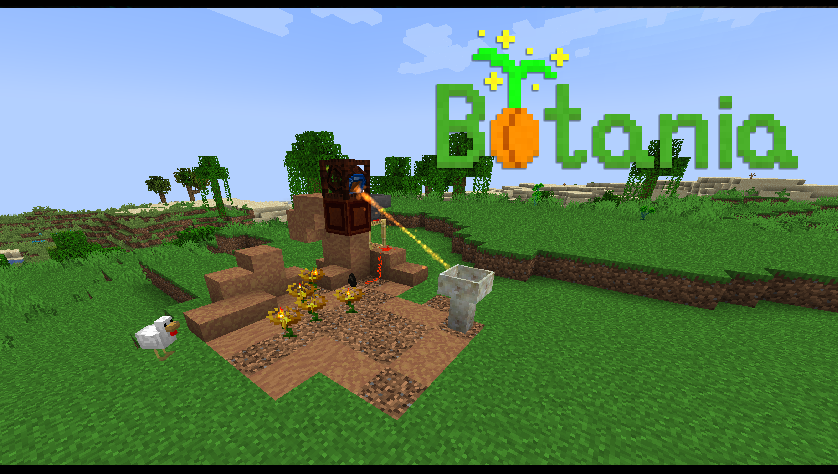
Botania is a unique magic mod themed around nature and flowers. Unlike typical magic mods, it works entirely within the Minecraft world without complex GUIs or menus.
Key Features
- Generate Mana using magical flowers
- Functional flora that automate tasks
- Magical baubles and equipment
- Relics with unique abilities
- Automatable with vanilla mechanics
Botania works as a standalone mod or with other mods. The in-game Lexica Botania (crafted with a book + sapling) provides guidance.
Download: CurseForge | Modrinth
10. Iron Chests - Simple Storage Upgrade
Category: Storage
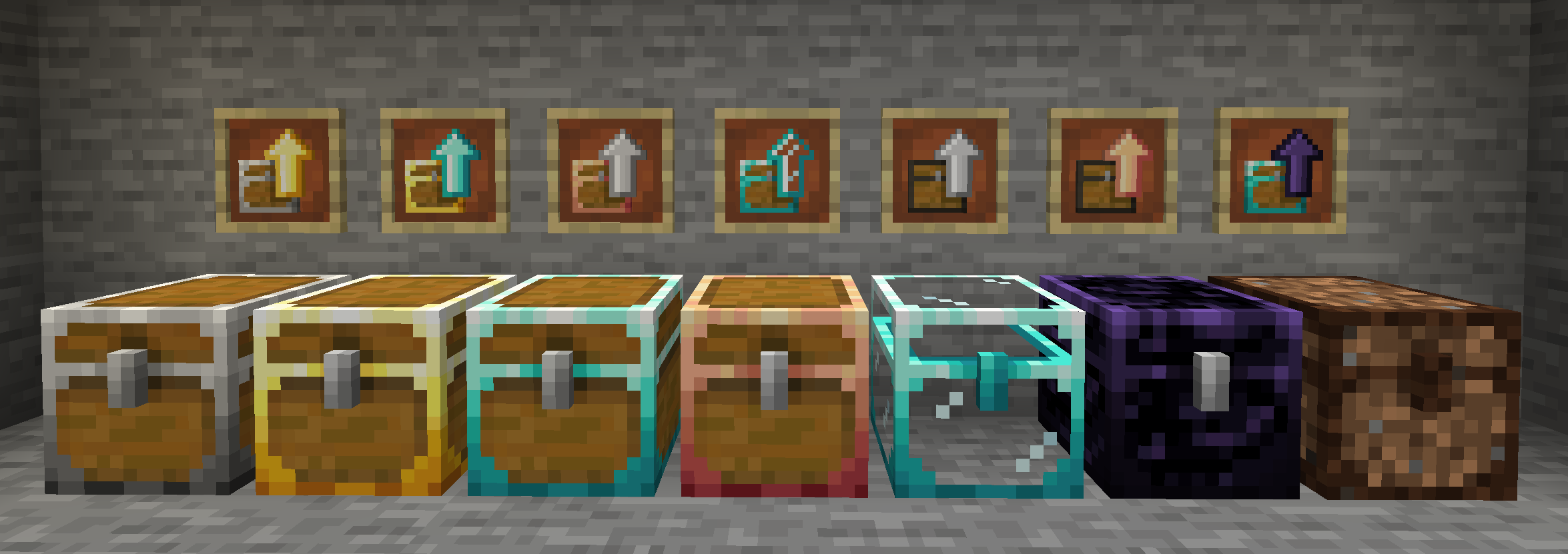
Iron Chests is a lightweight mod that adds tiered storage chests for early-game organization.
Key Features
- Chest tiers: Copper, Iron, Gold, Diamond, Crystal, and Obsidian, plus a novelty Dirt chest
- Iron Chest = 54 slots (double chest equivalent)
- Diamond Chest = 108 slots
- Upgrade chests in-place without losing contents
- Crystal chests display contents visually
- Obsidian chests are explosion-proof
This mod is commonly found in modpacks and provides storage options between vanilla chests and advanced storage systems.
Download: CurseForge
How to Install Minecraft Mods
- Install a mod loader - Most mods require Forge, NeoForge, or Fabric
- Download mods from trusted sources (CurseForge, Modrinth)
- Place mod files in your
.minecraft/modsfolder - Launch Minecraft with the mod loader profile
For easier mod management, consider using launchers like Prism Launcher, CurseForge App, or Modrinth App.
ChunkPod is in early access. You can join the waitlist at chunkpod.com.